Per-employee and per-company overrides
FreeTax rate tables come with platform defaults, but any company can set its own override — with a rate-freshness check against the official source.
Where to find itSettings → Tax rates
How it works
- 1
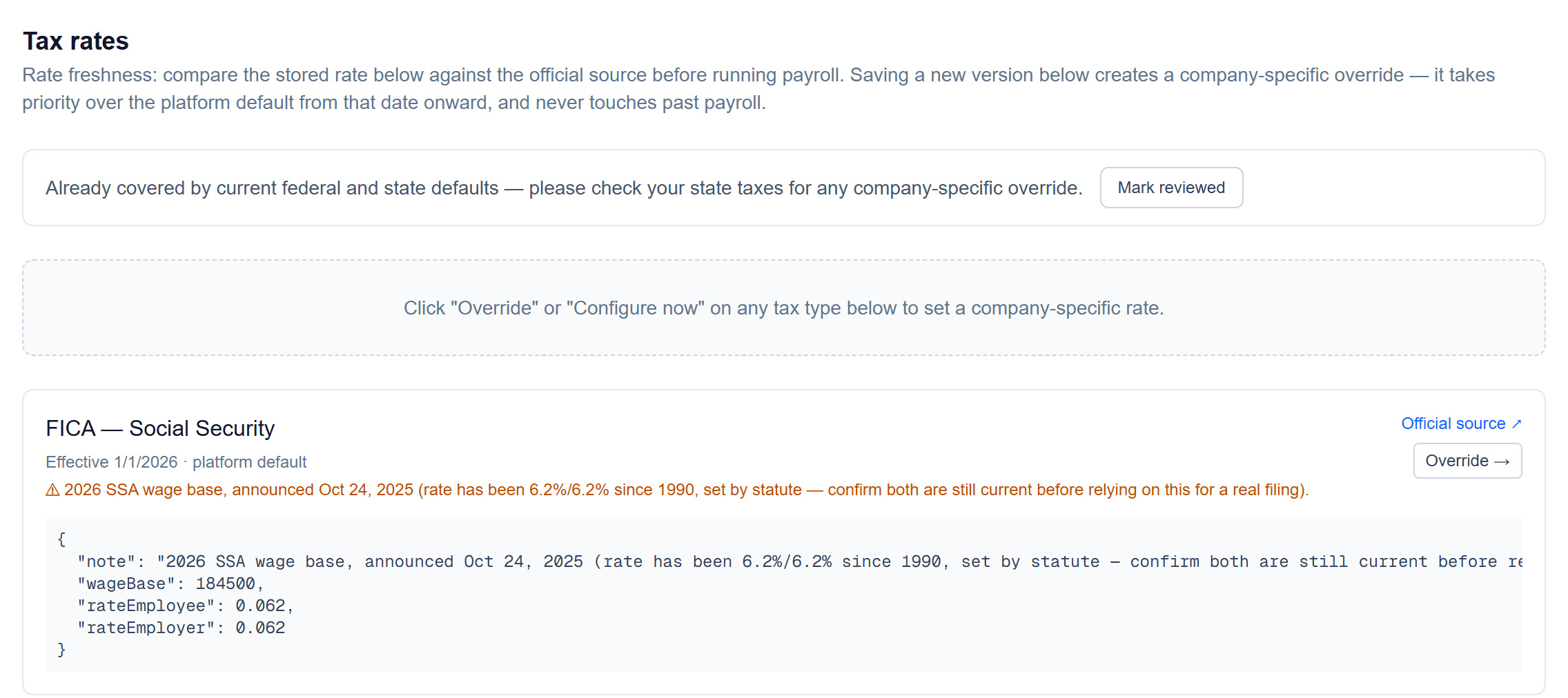
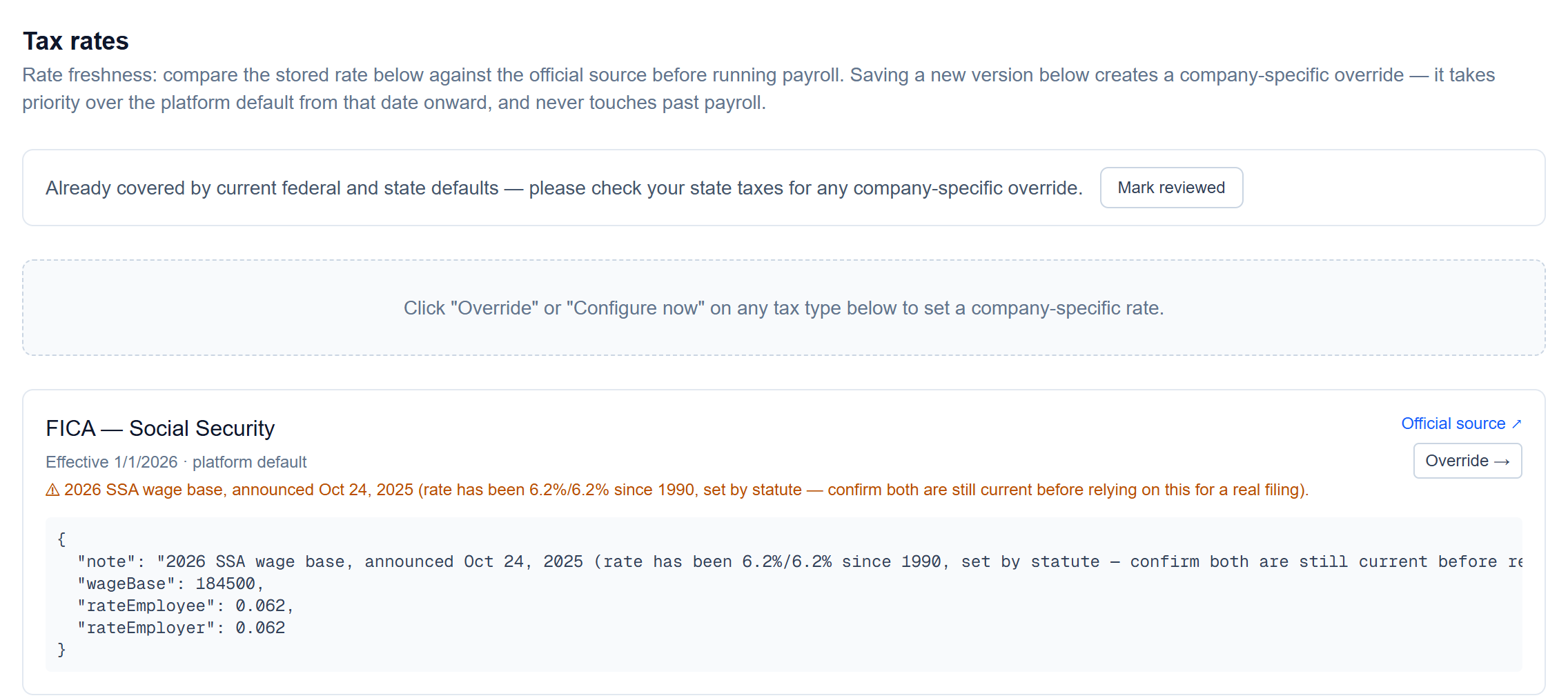
Review the rates in use
Every tax that applies to your active states, its effective date, whether it's the platform default or your own override, and a link to the official source. Mark them reviewed once you've checked.
- 2
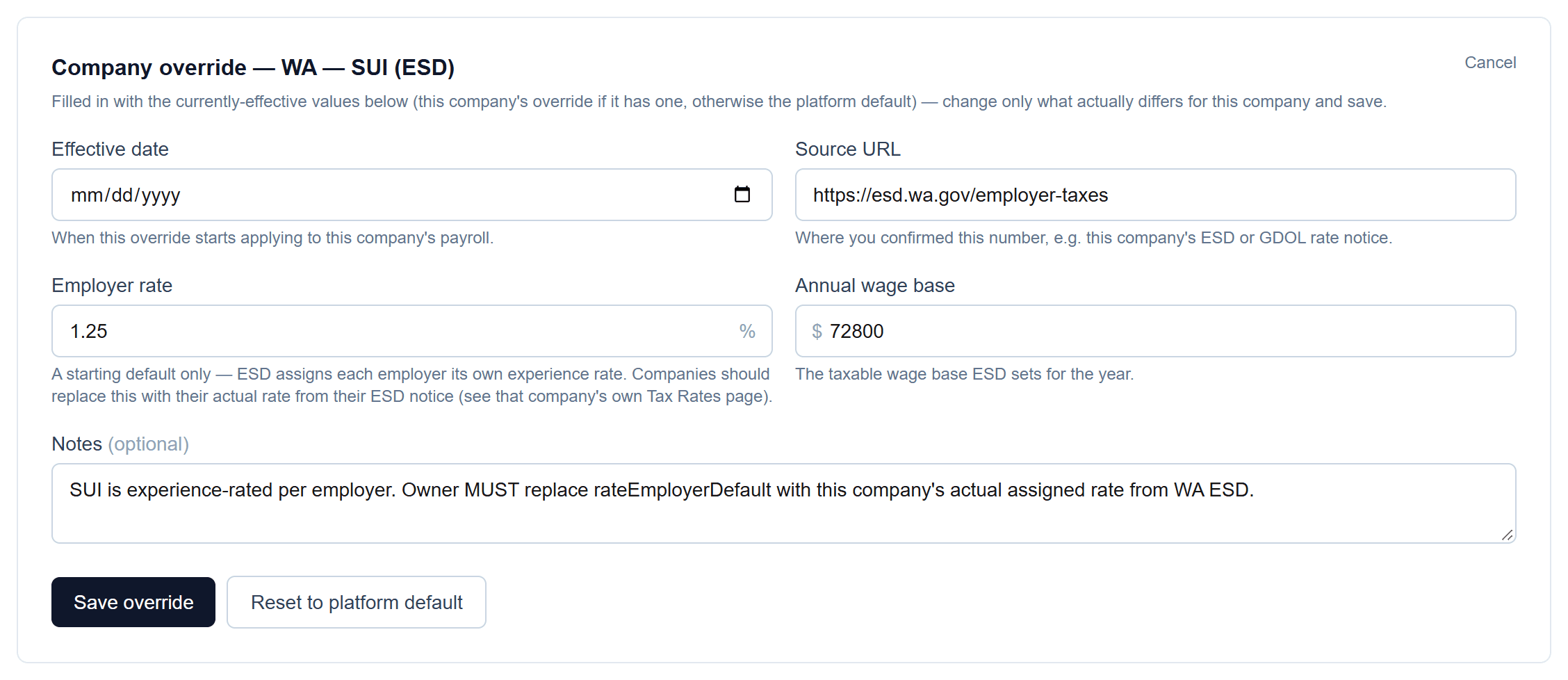
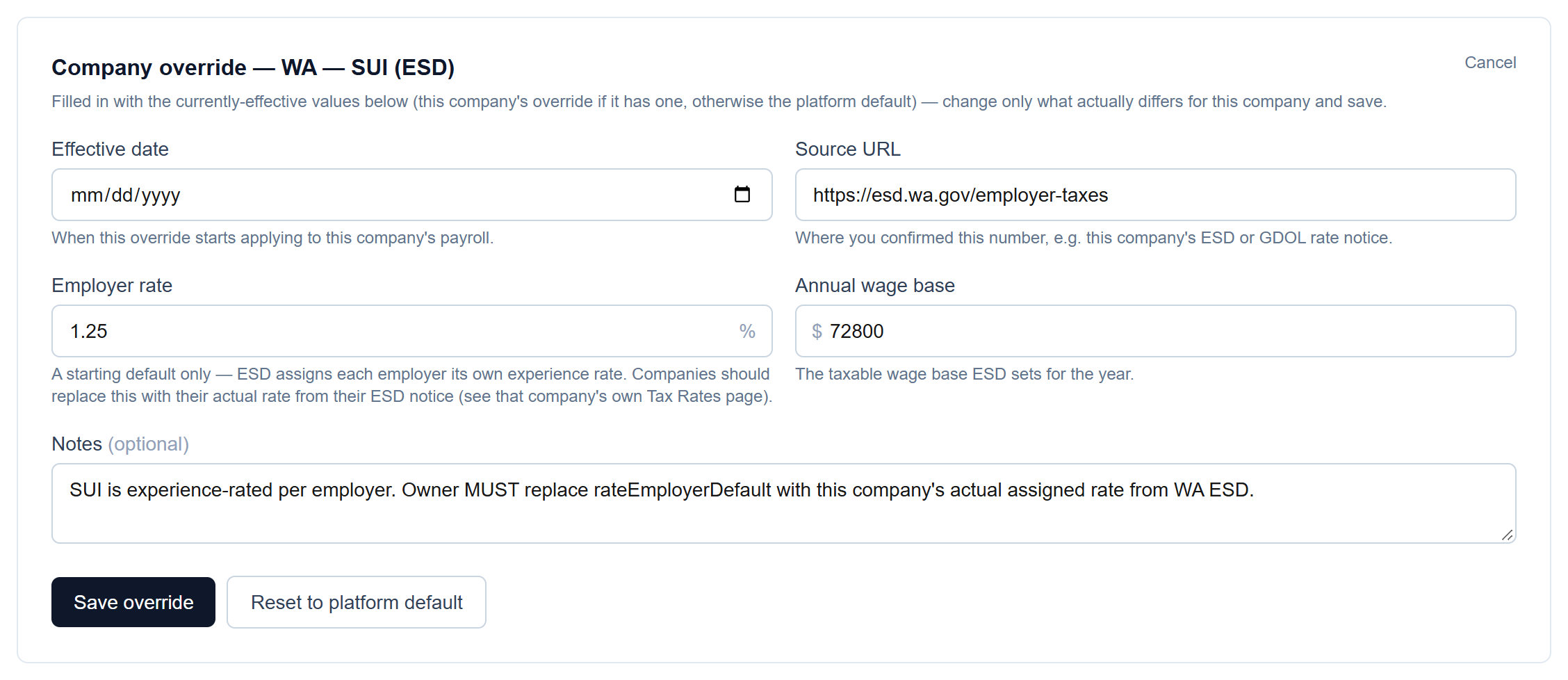
Override any rate for your company
Click Override on a tax to open an editor filled in with the current values. Set an effective date and the source you checked — the override applies from that date on and never touches past payroll.
- 3
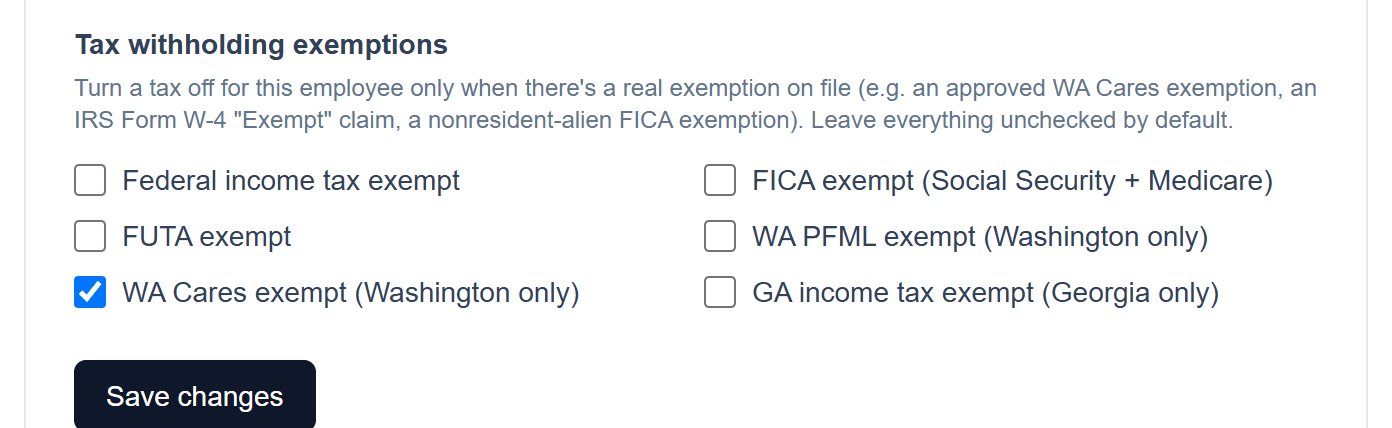
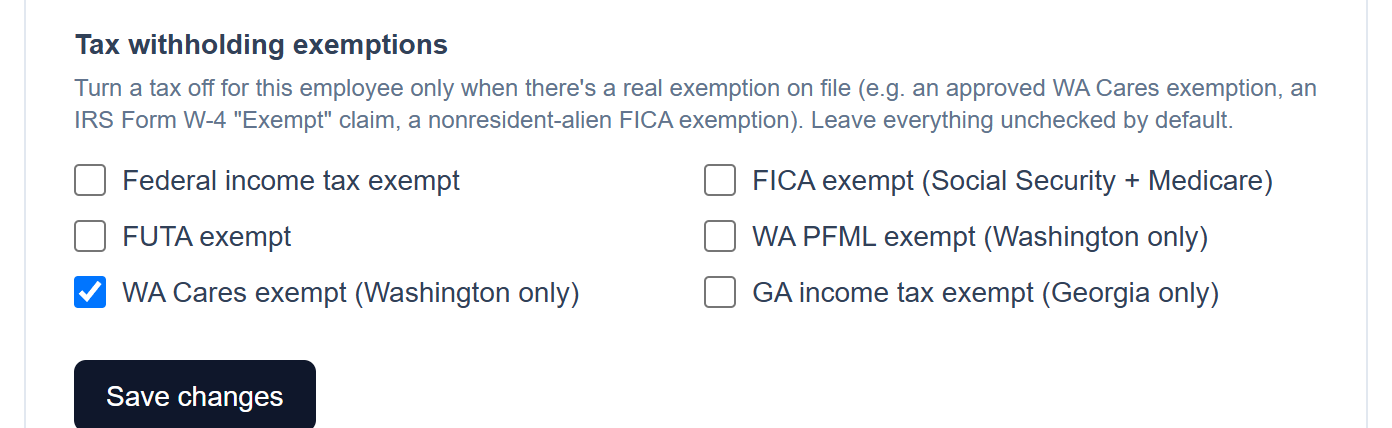
Per-employee exemptions
Where a real exemption is on file for one employee, turn that tax off just for them.
Screenshots show a demo company with sample data.
Run payroll yourself, for less
Free for up to ten employees; Pro is $20/month with no per-employee fees.