Year-to-date import
FreeSwitching mid-year? Import prior-payroll wages so this year's federal filings still come out correct.
Where to find itGetting started → Import prior payroll
How it works
- 1
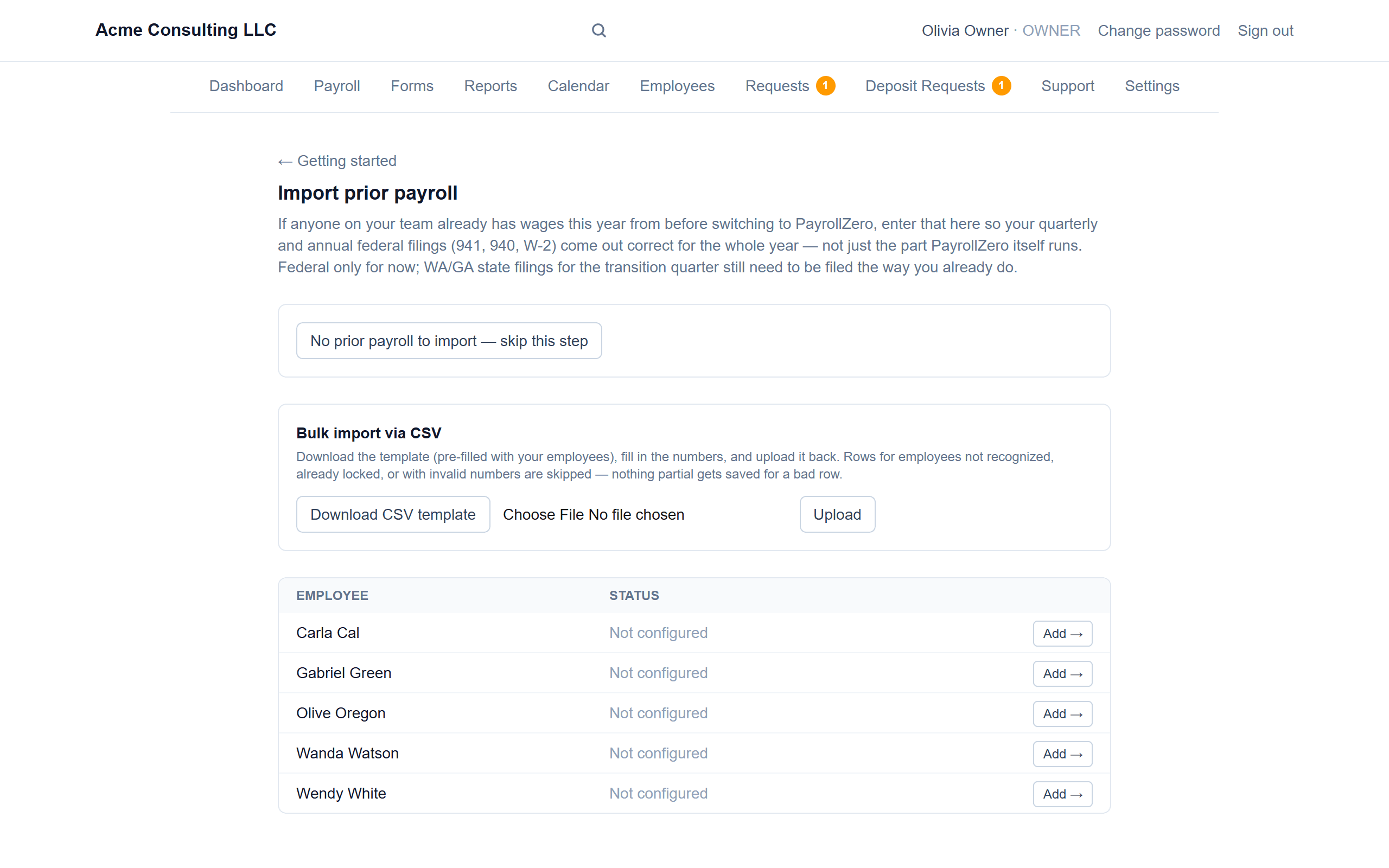
Enter or upload prior wages
Add each employee's year-to-date wages and withholding one by one, or download a CSV template pre-filled with your employees and upload it back.
- 2
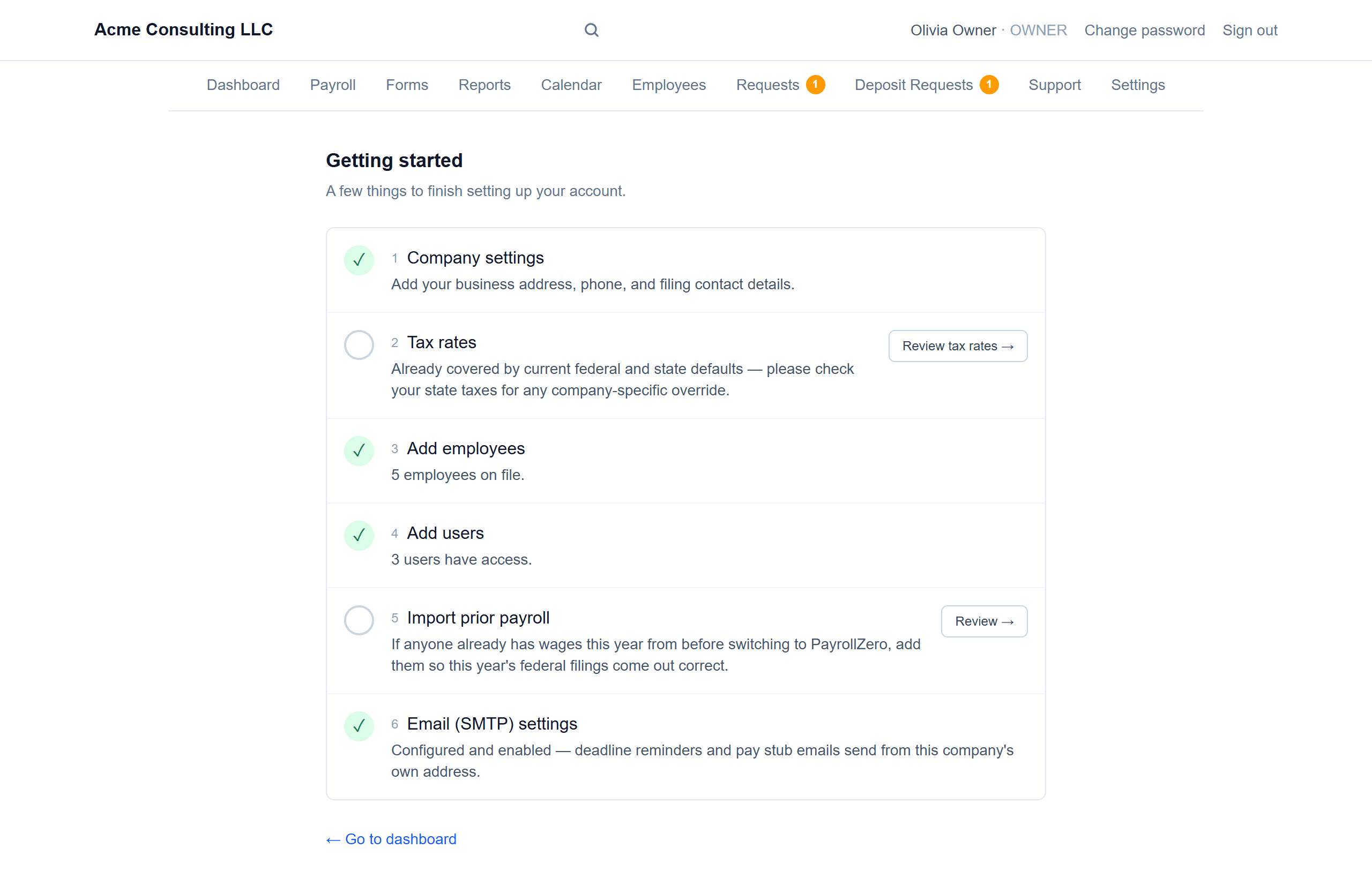
Part of the setup checklist
It's one step in Getting started, alongside company settings, tax rates, employees, users and email.
Good to know
- Federal only for now — state filings for the transition quarter still need to be filed the way you already do.
Screenshots show a demo company with sample data.
Run payroll yourself, for less
Free for up to ten employees; Pro is $20/month with no per-employee fees.