PTO accrual
FreeA company-wide accrual rate (hours earned per hours worked), with a per-employee override for anyone whose policy differs.
Where to find itSettings → Basic information, and an employee's Manage pay page
How it works
- 1
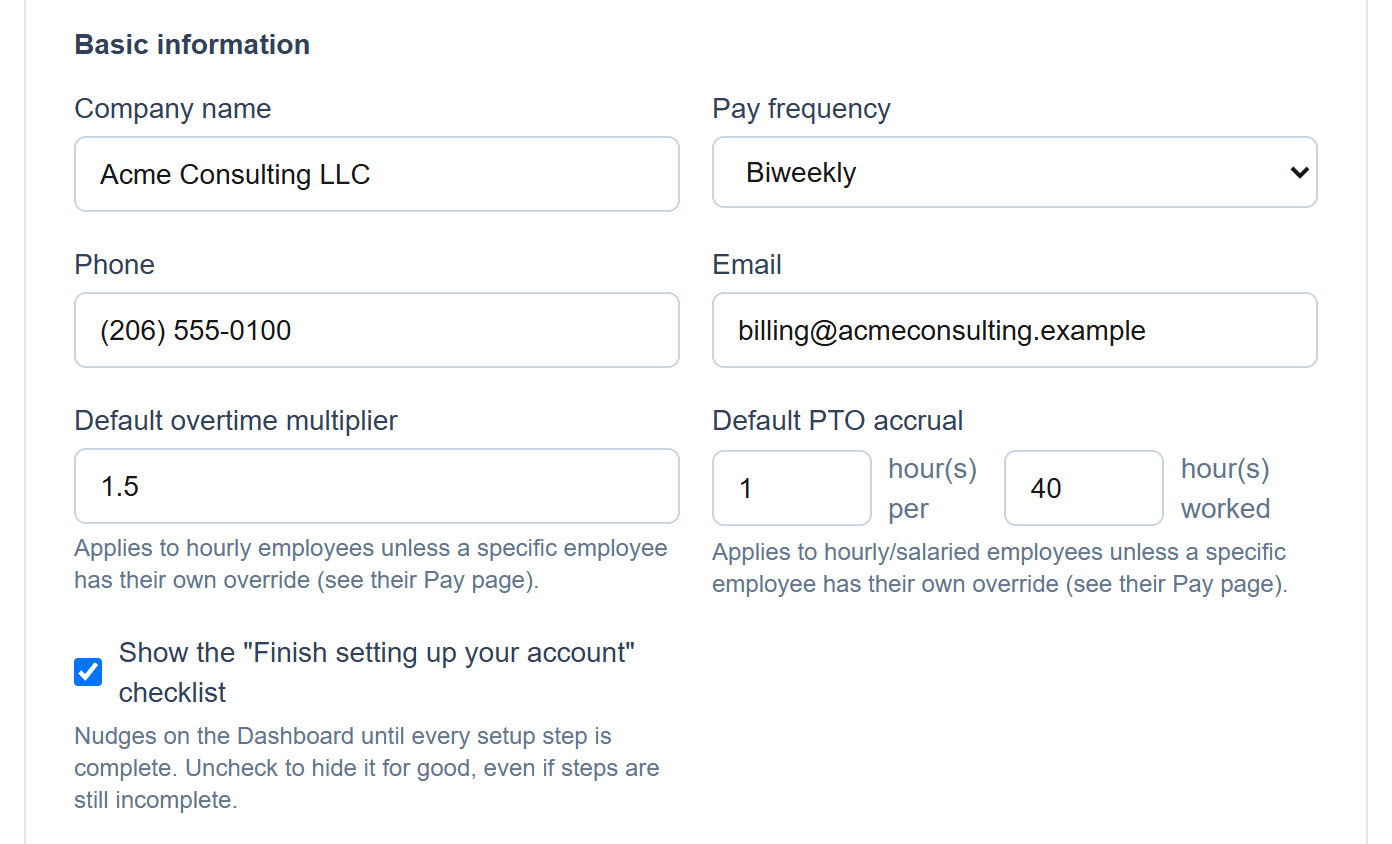
Set the company default
Hours earned per hours worked — for example, 1 hour per 40 worked.
- 2
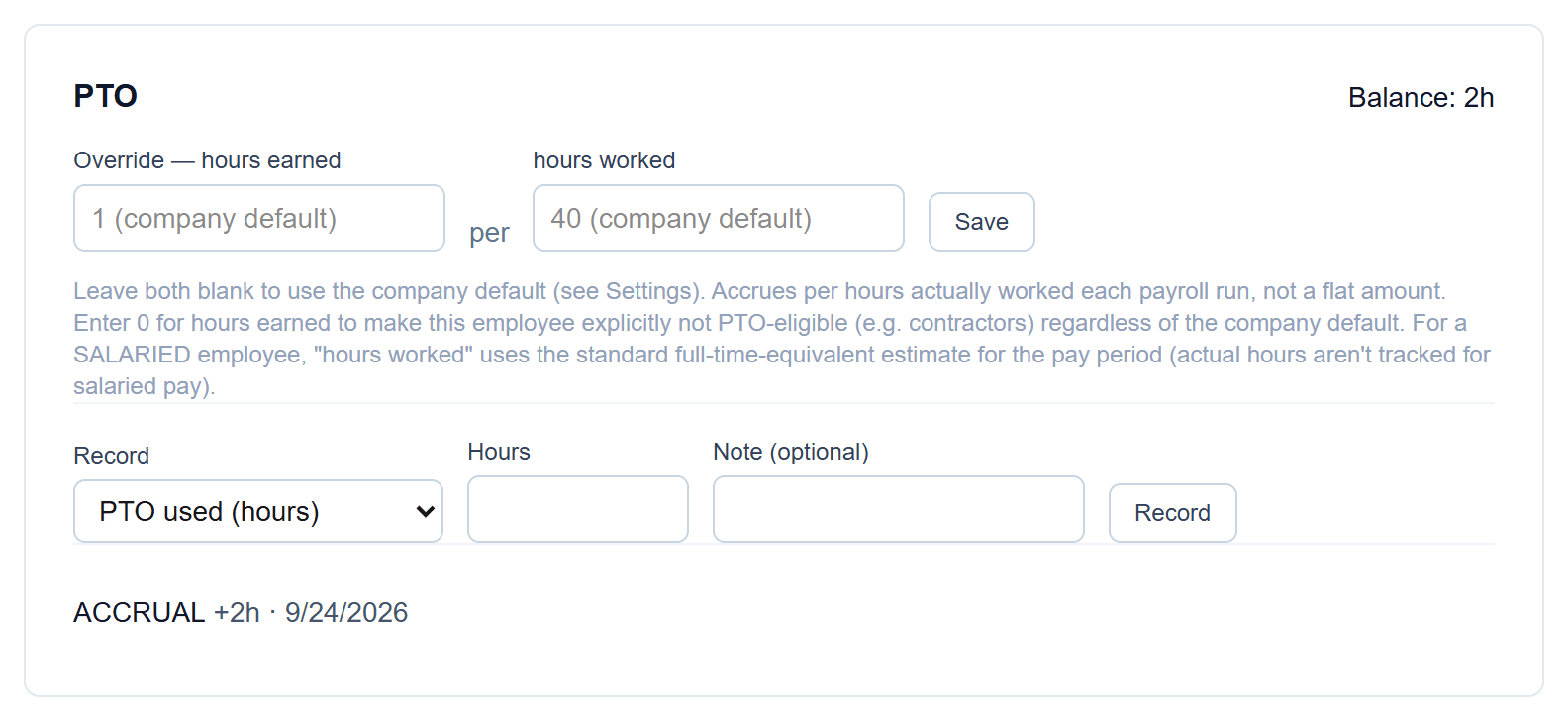
Override it for one employee
Set a different rate, or 0 to make someone explicitly not PTO-eligible. Salaried employees accrue on a standard full-time estimate for the pay period.
- 3
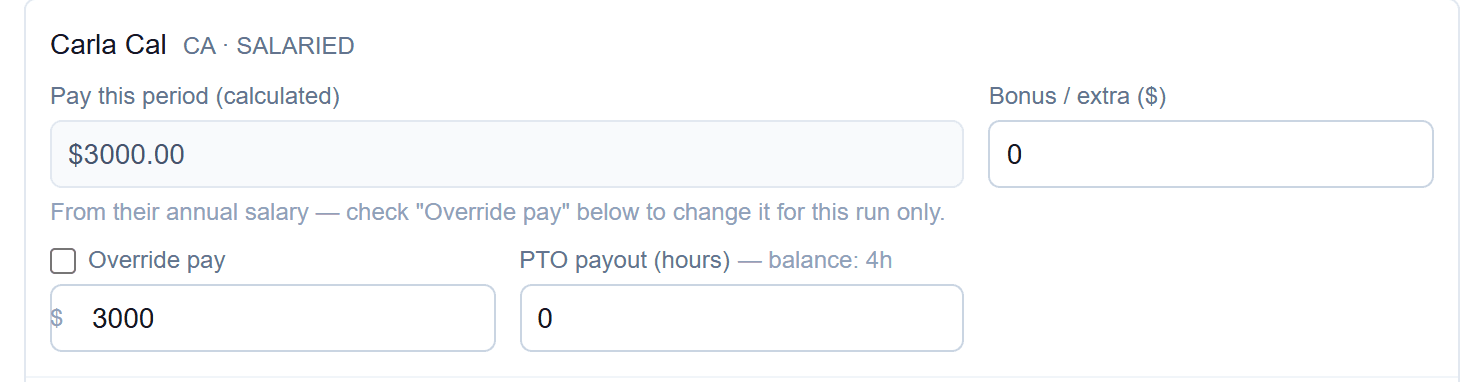
Pay it out on a run
Each employee's balance is shown next to the PTO payout field.
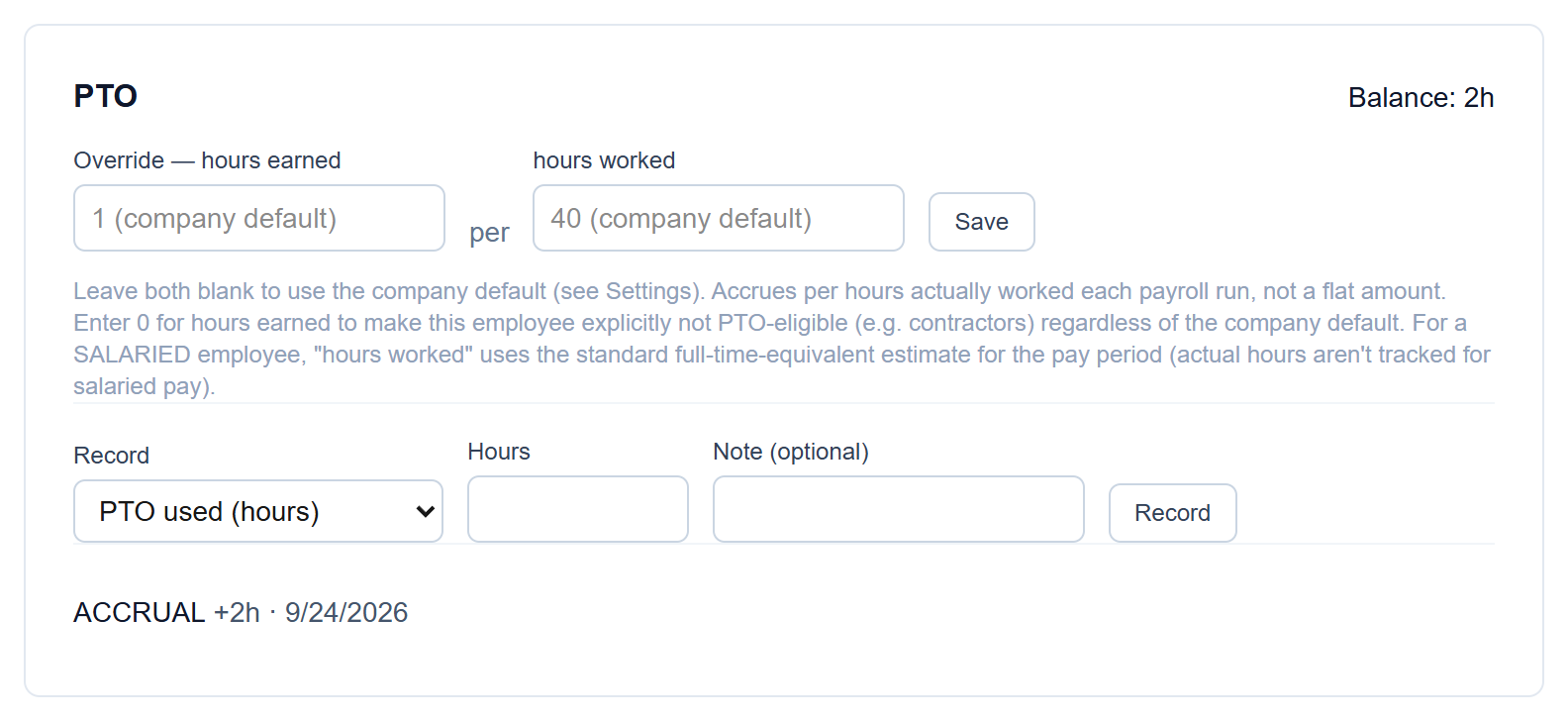
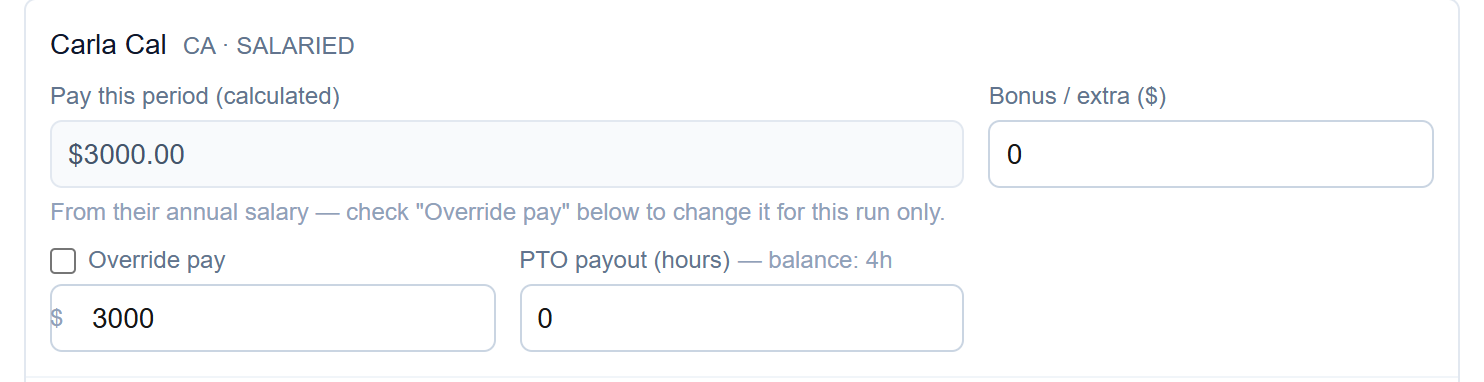
Screenshots show a demo company with sample data.
Run payroll yourself, for less
Free for up to ten employees; Pro is $20/month with no per-employee fees.